Features
Everything Dayslot does.
The whole list, grouped so you can skim it. Most of it is free; anything marked Pro is part of Dayslot Pro. Unless a line says otherwise, it works the same on iPhone, iPad and Mac.
ProPart of Dayslot Pro
To-dos and lists
A calm place for everything you have to do, sorted the way you think.
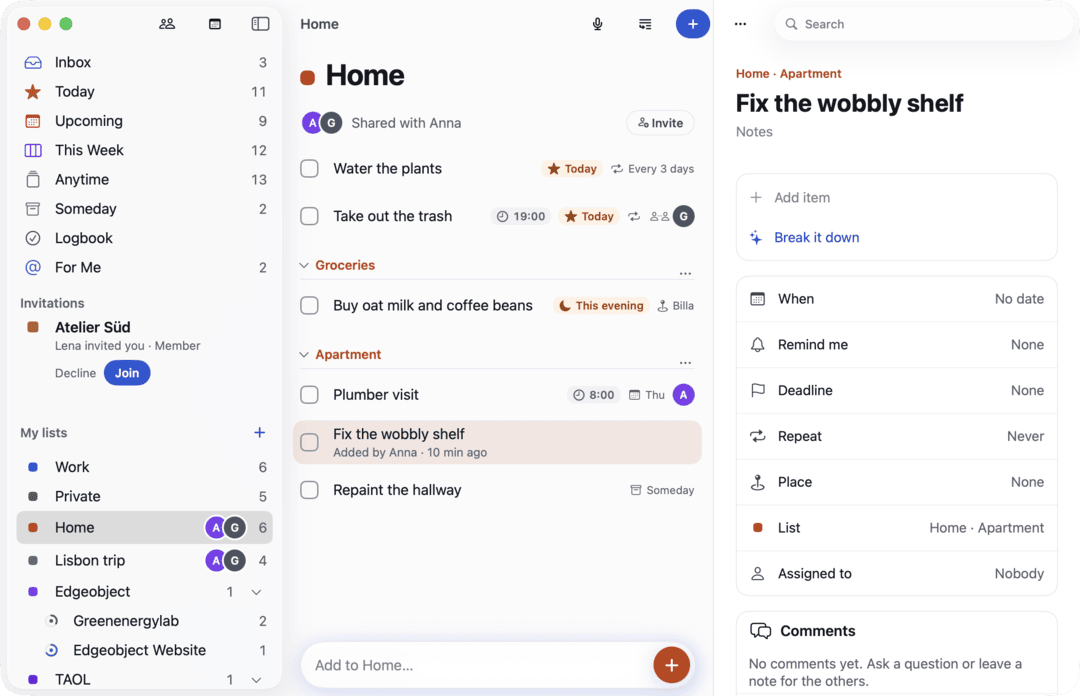
Lists and headings
As many lists as you like, each in one of ten colours, with headings to group what belongs together.
Sub-lists
Put a list inside another, one level deep. Each sub-list shows a small progress ring.
Smart views
Inbox, Today, Upcoming, Anytime, Someday and Logbook, plus This Week on iPad and Mac.
This evening
A quiet section at the end of Today for what belongs to the evening.
Checklists
Steps inside a to-do, each with its own checkbox, and progress on the row.
Deadlines
A deadline apart from the day you plan to do it, with a Due chip and a red flag once it has passed.
Repeats
Daily, weekly, monthly and yearly. Ticking one off creates the next right away.
Flexible repeatsPro
Every few days, or counted from when you finish (“every 3 days after I water the plants”).
List templates
Save any list as a template, or start from Travel packing, Weekly groceries, New client onboarding or Moving house.
Search
One field for to-dos, notes, lists and calendar events.
Import from Reminders
Bring your Apple Reminders lists along, with dates, notes and the repeats Dayslot can express. Run it again later without duplicates.
Light and dark
Every screen in both, following your system setting.
Quick add, voice and brain dump
Getting things out of your head should take seconds, typed or spoken.
Quick add with “Call tax advisor 4pm #Work” and the chips it understood: Today, 4:00 PM, Work and a reminder at 3:45 PM.
Call tax advisor 4pm #Work
Notes
Understood as
- Today
- 4:00 PM
- Work
- 3:45 PM
Quick add in plain words
Type “Call tax advisor tomorrow 9am #Work” and Dayslot picks out the day, time, list and reminder, and shows what it understood before saving.
Five languages
English, German, French, Spanish and Italian, including Austrian forms like “Jänner” and “halb neun”, and mixed sentences.
Understood on your device
Where Apple Intelligence is available, understanding happens on the device. It works offline, too.
Smarter quick addPro
For vaguer sentences, a cloud model helps on every device. It only receives the sentence and your list names.
Voice
Hold the + or tap the mic and just say it. Transcribed on your device; the audio never leaves it.
Brain dump
Say or paste a ramble and get separate to-dos to review. Splitting on the device is free.
AI brain dumpPro
AI sorts even long, unpunctuated rambles into to-dos with dates, lists and reminders.
Meeting notes to to-dosPro
Paste the notes from a meeting; Dayslot finds the action items, who owns them and when they’re due.
Break it downPro
Turns a vague to-do like “Plan Lisbon trip” into three to eight concrete checklist steps, which you review first.
Share to Dayslot
Turn a web page, an email or a note into a to-do from the share sheet, on iPhone, iPad and Mac.
Calendars: Google, Outlook and Apple
Your calendar stays where it is. Dayslot shows it next to your to-dos and writes to it only when you ask.
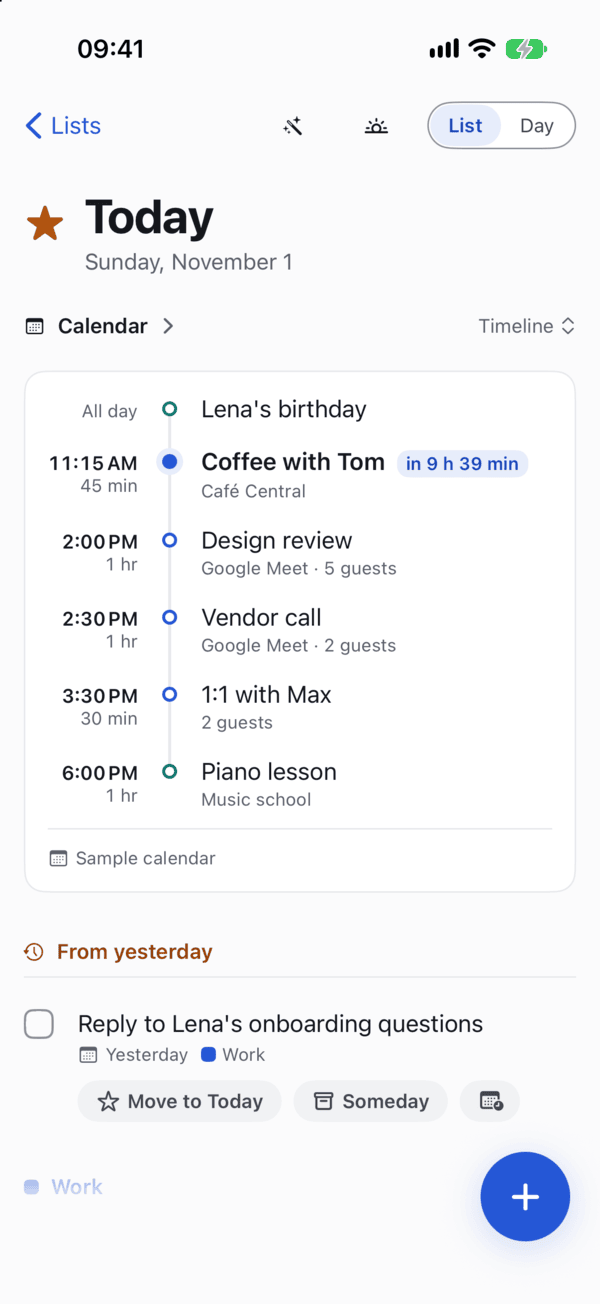
Google Calendar
Your events in Today, Upcoming and the calendar, refreshed every minute while the app is open.
Outlook and Microsoft 365
Personal and work Microsoft accounts, on the same level as Google.
Apple Calendar
iCloud, Exchange and every other calendar on your device, read right on the device.
One account free, several with Pro
Reading one Google or Outlook account is free, Apple Calendar too. Google and Outlook together need Pro.
Today’s calendar, three ways
Timeline, Cards or Next up, with a Join button whenever an event has a video call.
Day, 3 Days, Week and Month
A full calendar with your timed to-dos in the same grid. Week on iPad and Mac.
Invitations at a glance
Invites keep a dashed outline until you reply. Declined events disappear.
Reply to invitationsPro
Accept, Maybe or Decline right in Dayslot.
Create and edit eventsPro
Add events, drag them to move or resize on iPad and Mac, and edit repeating ones, in Google, Outlook and Apple calendars.
Time blockingPro
Give a to-do a time and it can block that slot in your calendar. Move the to-do and the block follows.
Planning and reviews
Help with deciding what happens when, without taking the decision away from you.
This Week board
Your week in day columns on iPad and Mac. Drag to-dos between days; evenings and a No date column included.
Nothing rolls over silently
Yesterday’s leftovers wait in From yesterday until you decide: Move to Today or Someday.
Learned durations
Dayslot learns how long your timed to-dos usually take, on this device only.
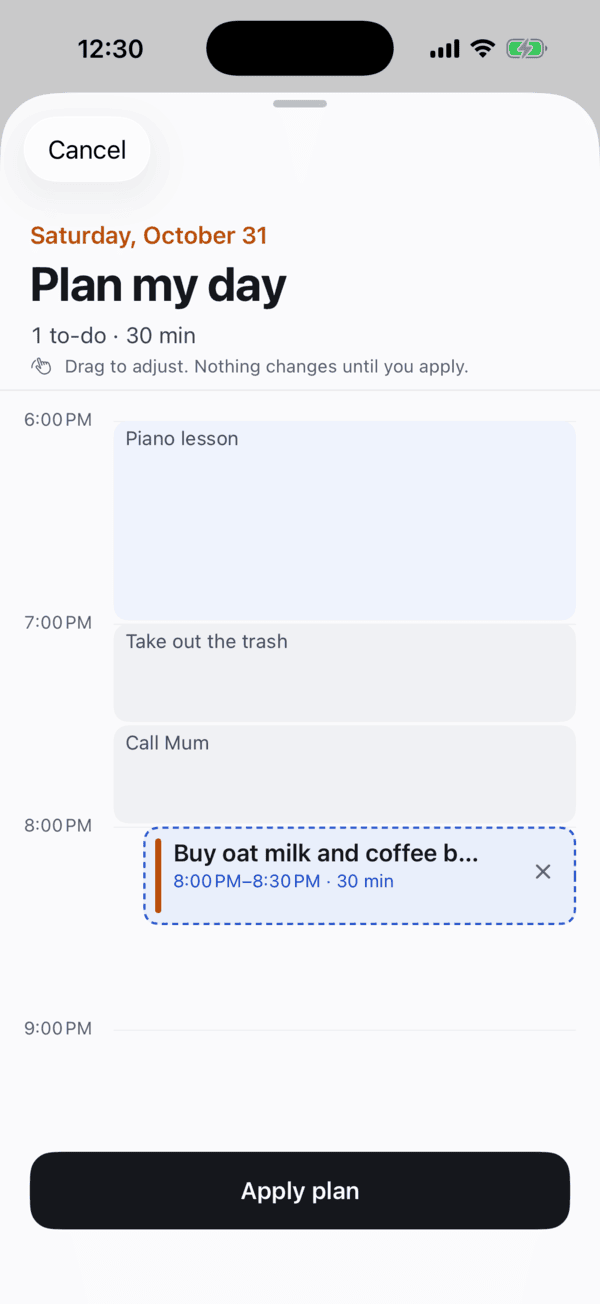
Plan my dayPro
One tap fits your open to-dos into today’s free time around meetings and lunch. Drag to adjust; nothing changes until you apply, and one Undo takes it back.
Find a timePro
Realistic new days for to-dos that slipped, around your calendar, deadlines and how long things take.
Morning reviewPro
Leftovers, anything overdue and today’s plan: Today, Later or Done for each, then Start my day.
Evening reviewPro
What you finished, and a calm decision for what’s still open. No streaks, no scores, no confetti.
Weekly reviewPro
The last seven days, what needs a decision, and the week ahead with its meetings.
Reminders
Reminders you can answer without opening the app, and only the ones you asked for.
A Dayslot notification for “Call tax advisor” with the actions Done, +1 hour, This evening and Tomorrow.
Answer from the notification
Done, +1 hour, This evening or Tomorrow, from the Lock Screen or your Apple Watch.
A default that fits you
Choose how long before a timed to-do you’re reminded, from at the time to an hour before.
Deadline nudge
An optional morning note on the day something is due. Off unless you want it.
Place remindersPro
“When I arrive at the supermarket”, or when you leave. In a shared list, for the assignee too.
Asked once, calmly
One clear explanation before the system asks for permission. Not now is remembered.
Sharing and teams
Lists for two, a household or a small team, with just enough coordination.
A list called Home shared with Anna: a rotating chore Anna → Ben → Me and a to-do added by Anna ten minutes ago.
Join shared lists
Anyone can join a list that’s shared with them. Members don’t need Pro.
Share a listPro
Invite by email or with a link, as Can edit or Can view.
Assign and comment
Assign to-dos, comment with @mentions, and see who added or finished what.
Taking turns
Repeating chores can rotate: Anna, then Ben, then you. Only the person whose turn it is gets the reminder.
For me
Mentions, assignments and comments on your to-dos, in one place.
Notifications per list
Choose which activity in each list is worth a notification.
Dayslot TeamPilot
For work teams: workspaces and projects, a Team Week board with busy/free time, comments, and Pro for every member.
Every Apple device
iPhone, iPad and Mac as equals, with Apple Watch, widgets and the system around them.
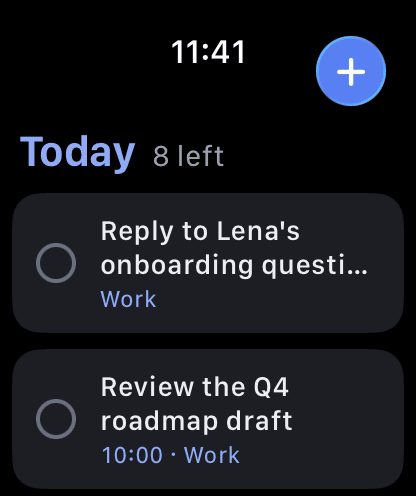
Dayslot on Apple Watch with today’s to-dos, and a Live Activity counting down a time block on the Lock Screen.
iPhone
Everything on this page, one thumb away, with a + that’s always there.
iPad
Sidebar, list and inspector side by side; keyboard shortcuts and drag and drop.
Mac
A native Mac app with menus and shortcuts: ⌘N new to-do, ⌥⌘N add by voice, ⇧⌘B brain dump.
One purchase
Pro bought on one device works on iPhone, iPad and Mac.
Apple Watch
Today with round checkboxes, reminders you can answer, dictation quick add and complications.
Widgets
Today and List widgets with working checkboxes and a +, and Lock Screen widgets.
Live ActivityPro
A running time block on the Lock Screen and in the Dynamic Island, with +15 min and Done.
iPhone DuoBuild 10
Unfolded: the iPad layout or two independent panes, such as Today next to your calendar. Tabletop: “Now” on top, your next to-dos below. Closed: the iPhone layout with its controls in the side rail.
Siri and Shortcuts
“Add a to-do”, “What’s next?” and Brain dump by voice; Spotlight finds your to-dos.
Controls and the Action button
Add to Dayslot and Add by Voice in Control Center, on the Lock Screen and on the Action button.
Focus filters
While a Focus is on, show only the lists that belong to it, in the app and the widgets.
Privacy and offline
A to-do list knows a lot about you. Dayslot is built to know as little as it can.
Works offline
Everything happens on the device first and syncs when you’re back online.
Use it without an account
Start right away; sign in later with Apple or email to sync your devices.
Hosted in the EU
Sync runs on our own servers in the European Union, operated by Applicure.
Calendar sign-ins stay with you
Google and Microsoft sign-ins live in your Keychain, never on our servers.
AI sees only what it needs
Cloud AI receives just what a feature needs, such as the sentence you typed. Voice never leaves your device.
No ads, no trackers
No advertising, no analytics SDKs, no selling of data. This website sets no cookies either.
Most of this is free.
Compare what’s in Free and what Pro adds, with prices.
- Coming soon to the App StoreiPhone · iPad · Apple Watch
- Coming soon to the Mac App StoreMac